iPhone-first Japanese study

Real Japanese SRS. Built for the iPhone.

The Japanese app for learners who have outgrown matching games. Guided lessons, real SRS review, unit checkpoints, voice practice, Reading miner, AI Tutor, generated decks, and progress that is easy to scan.

iOS appWeb accessJapanese first
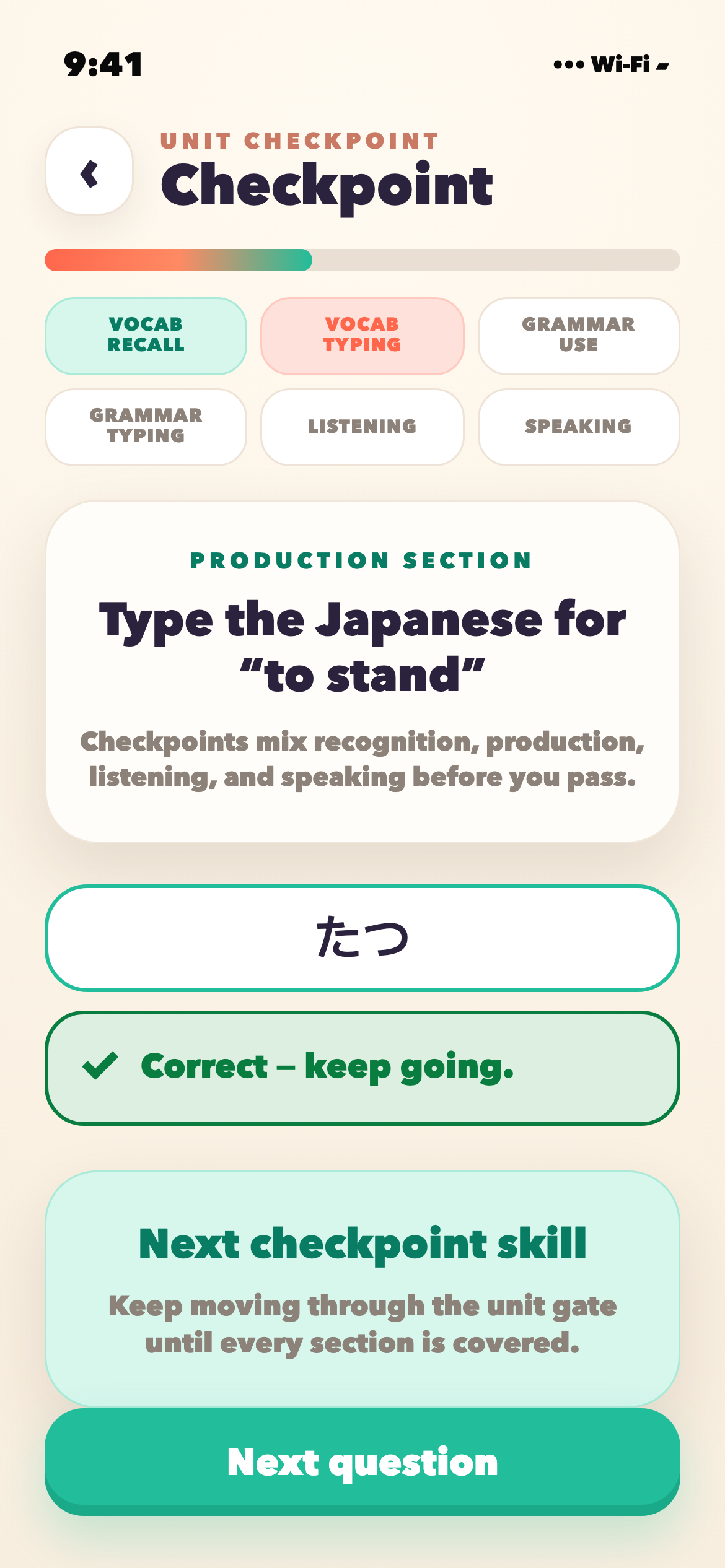
Checkpoint production review screen asking for the Japanese answer to to stand
Real SRS engine
Same algorithm class Anki users trust
Japanese first
Journey, lessons, and checkpoints
Reading miner
Turn real text into practice
AI study tools
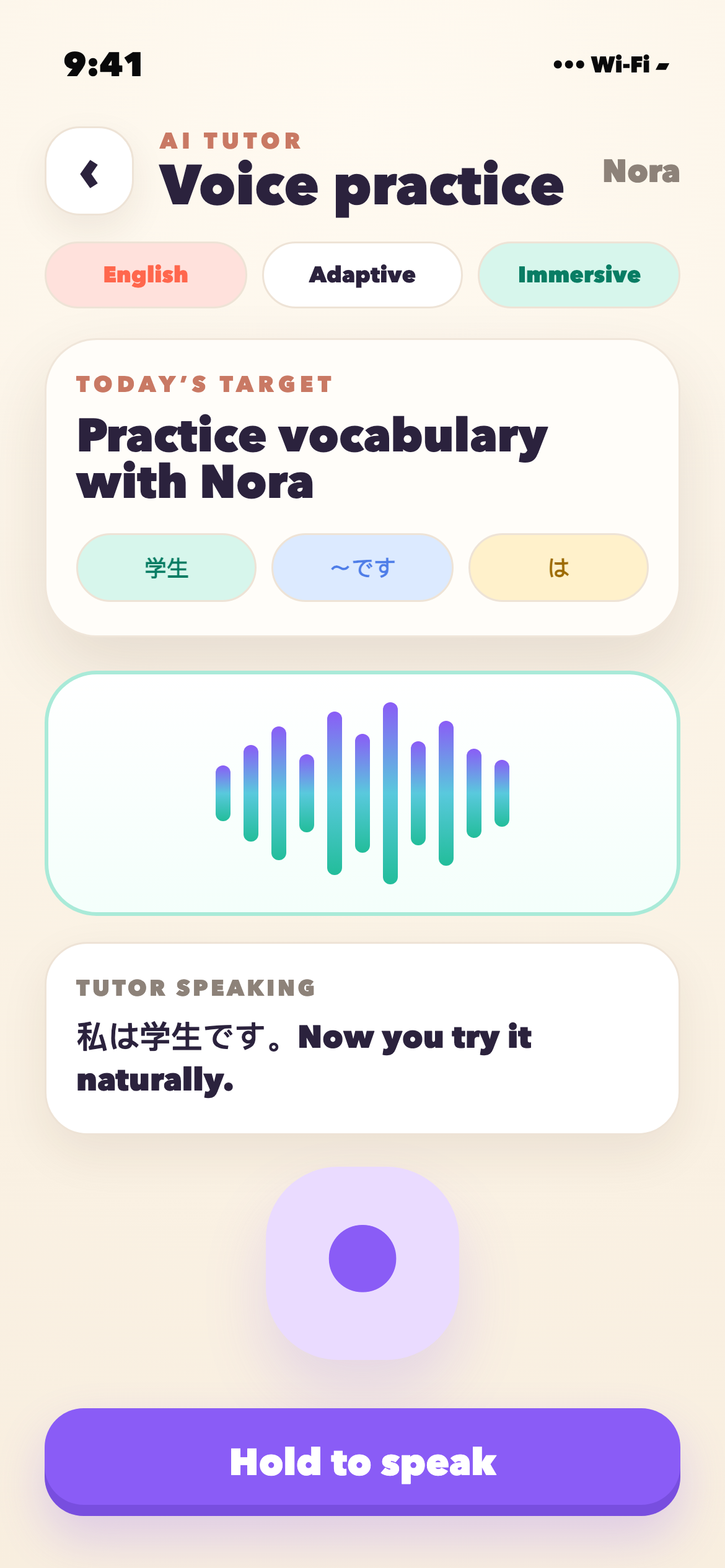
Tutor sessions, voice, and generated decks
Progress tracking
Streak, XP, milestones, and sync
CURRENT APP

Screenshots from the current iOS build, not mockups.

These are current iOS beta surfaces captured from the simulator. They show the app as it exists today, including guided lessons, voice review, unit checkpoints, Reading miner, AI Tutor, generated decks, and progress tracking.

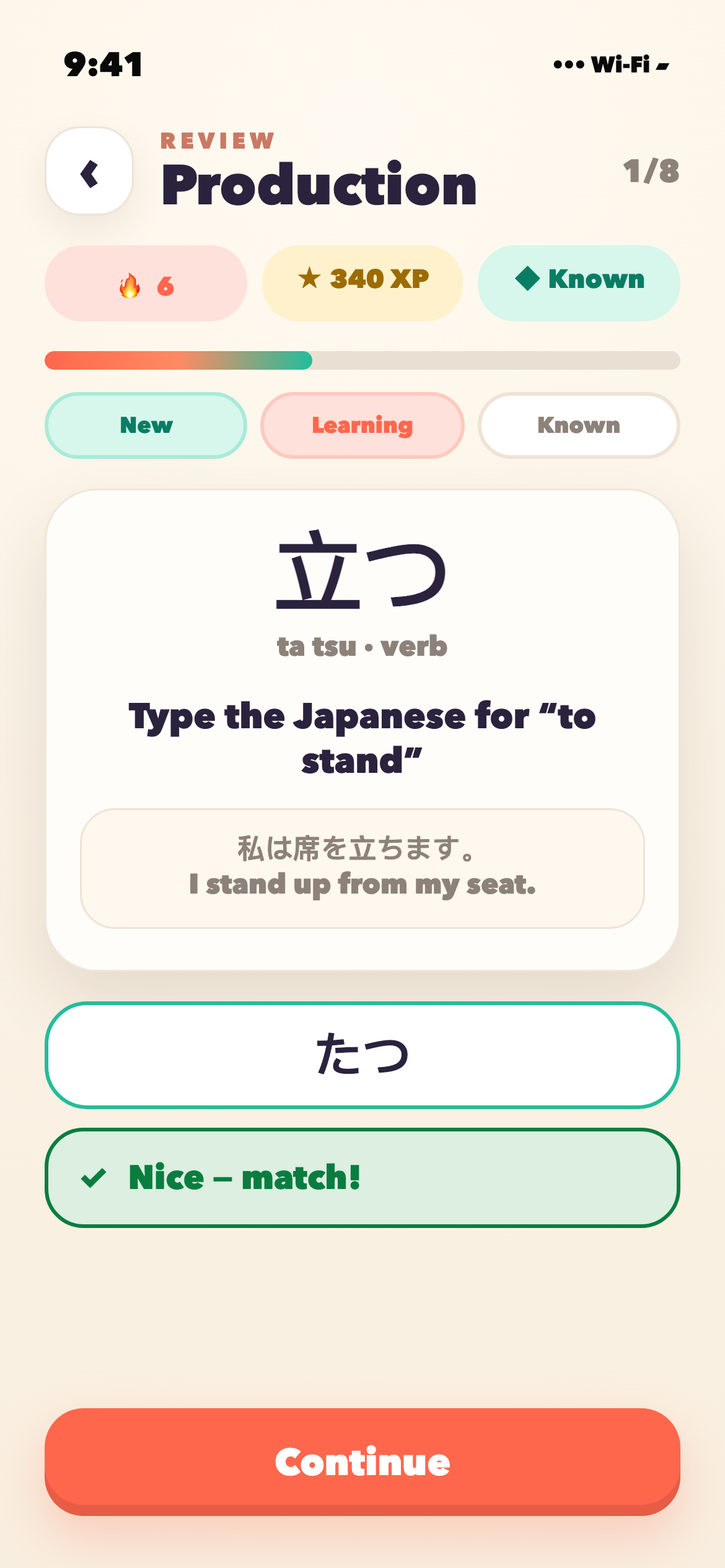
Checkpoint production review screen asking for the Japanese answer to to stand

Review

A production card asks for Japanese recall, with keyboard and voice paths.

Checkpoint Explore screen with deck generation, Reading miner, AI Tutor, and daily immersion

Explore

Search, deck generation, Reading miner, AI Tutor, and immersion.

Checkpoint voice review screen asking the learner to speak a Japanese answer

Voice Review

Speak answers for high-mastery cards or fall back to keyboard.

Checkpoint unit assessment screen with a Japanese production answer marked correct

Checkpoints

Unit assessments test production, grammar, listening, and recall.

Checkpoint Statistics screen with XP, streak, activity history, mastery, and achievements

Stats

Streak, XP, activity history, mastery, and achievements.

WHAT IS IN THE BOX

Built for adults who actually want to learn.

The current beta focuses on daily Japanese study: guided lessons, SRS reviews, unit checkpoints, voice practice, Reading miner, AI Tutor, generated decks, and progress tracking.

SRS

Spaced repetition with productive recall

Type, speak, build sentences, and correct misses. The SRS engine schedules what comes back next instead of treating every word like a multiple-choice tap.

Checkpoints

Lessons that prove forward progress

The current app has guided lessons, kana and grammar practice, conjugation drills, sentence building, and unit checkpoints that retry weak sections before moving on.

Explore

Reading miner, AI decks, and tutor practice

Explore is where the extra study loops live: search topics, generate focused decks, mine real Japanese text, launch text or voice tutor sessions, or jump into daily immersion.

WHY IT WORKS

Built on the boring research everyone else skips.

The app leans into retrieval practice, spaced review, and productive recall instead of pretending a streak alone teaches Japanese.

01

Useful words first.

Topics and generated decks are ordered around practical language, not random vocabulary dumps.

02

Production beats recognition.

Checkpoint asks you to type, speak, conjugate, build sentences, and correct answers instead of only tapping multiple-choice tiles.

03

Weak spots become the next lesson.

Unit checkpoints surface missed vocabulary, grammar, listening, and production skills so the app can route you back through targeted practice.

GAME-FEEL WITHOUT THE NOISE

Progress you can see at a glance.

The app tracks streaks, XP, mastery, and lesson progress without hiding the work behind matching-game filler.

Journey · Japanese

A clear path from daily reviews to new material.

The beta starts with Japanese foundations and keeps the next action visible: continue the lesson, review what is due, practice weak skills, or test forward through the path.

Kanji · practice loop

Kana and kanji get their own reps.

Kana, kanji, grammar, sentence building, and review state decide what needs attention next.

FEEDBACK

Help shape the next version.

Bug reports help us fix what is broken. Positive App Store reviews help more Japanese learners find Checkpoint.

FeedbackTell us

If something crashes, looks wrong, teaches the wrong thing, or feels confusing, send it in.

  • · Use the in-app feedback bubble
  • · Send screenshots through TestFlight when relevant
  • · Email hello@checkpoint.study with bug reports or ideas
  • · Tell us which study moments felt useful
App StoreReview

If Checkpoint is helping you study, a positive App Store review is one of the most useful ways to support it.

  • · Mention what helped: SRS, kana, grammar, AI Tutor, or progress tracking
  • · Keep bug reports in feedback so we can actually fix them
  • · Share the app with another Japanese learner
  • · Update your review as the app improves

Anki-grade review, iPhone-native practice, and enough game feel to come back tomorrow.

The bet, in one line.

Start where you are. Get to where you are going.

Best on iPhone. Built for serious Japanese study.